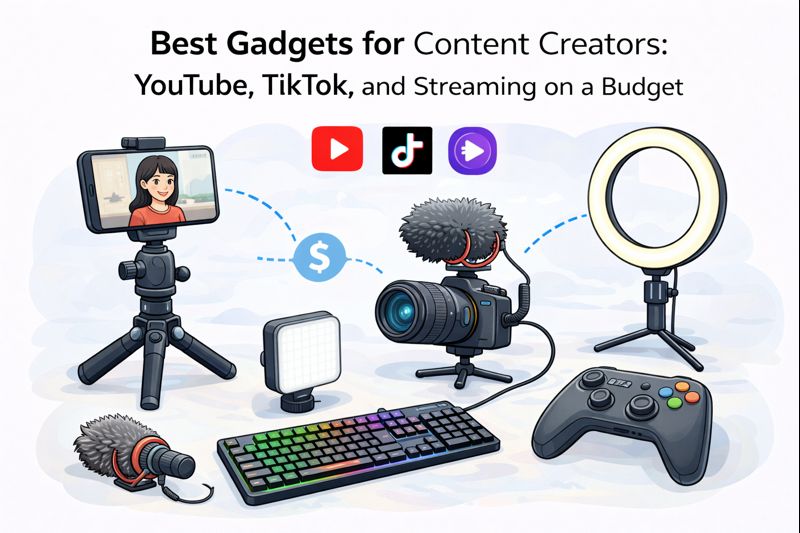
“Budget creator gear” can go two ways: smart upgrades that instantly improve your videos, or a pile of cheap accessories that look impressive on the desk and do nothing on camera. I’ve watched plenty of friends buy the wrong stuff first (usually a fancy light and a terrible microphone), so here’s the budget-friendly list that actually moves the needle for YouTube, TikTok, and streaming.
The goal is simple: better audio, steadier video, nicer light, and a workflow that doesn’t fight you.
1) Start with audio (because bad sound ruins good video)
Budget lav mic (wired)
If you shoot on a phone, a wired lav mic is the easiest “wow” upgrade. Clear voice, less room echo, less background noise.
Pros: Cheap, easy, big quality jump
Cons: Cable management can be annoying; not great for fast outfit changes
Budget wireless mic kit (if you move a lot)
For TikTok and YouTube shorts where you walk around, wireless mics are worth it.
Pros: Freedom to move, cleaner look on camera
Cons: More things to charge, cheap kits can have connection hiccups
My tip: If you can only buy one thing first, buy a mic. Viewers will forgive “okay” video. They won’t sit through ugly audio.
2) Lighting that doesn’t make you look like a ghost
Small LED panel (best value)
A compact LED panel with adjustable brightness and color temperature gives you control in any room.
Pros: Works for phone and camera, easy to aim, travel-friendly
Cons: Needs positioning; cheaper ones can flicker at certain settings
Ring light (easy for beginners)
Ring lights are simple and flattering for talking-head content, especially beauty or commentary videos.
Pros: Easy setup, even light, “creator look”
Cons: Can give a flat look; the ring reflection in eyes isn’t for everyone
My tip: Place the light slightly above eye level and off-center. It looks more natural than blasting your face head-on.
3) A tripod you’ll actually use (not a wobbly noodle)
Phone tripod with a solid head
For TikTok/shorts, stability matters more than fancy features.
Pros: Makes shots instantly more professional
Cons: Cheap tripods tip over easily
Look for:
- A sturdy base
- A proper phone clamp
- Adjustable height
Desk mini tripod (for streaming and overhead shots)
Perfect for top-down desk shots, unboxings, or a webcam alternative.
Pros: Great for small spaces
Cons: Limited height
4) Capture and stabilization: keep it smooth
A basic gimbal (optional, not required)
Gimbals are great for walking shots, but they can slow you down. If you mostly film at home, skip it.
Pros: Smooth movement shots
Cons: Adds setup time; needs charging; not always worth it for beginners
Use phone stabilization first
Modern phones already do a lot. A tripod + good lighting often beats a gimbal for beginners.
5) Streaming essentials: sound, camera, and control
A USB microphone (for streaming)
If you stream games or do live commentary, a USB mic is the budget upgrade that actually sounds “pro.”
Pros: Cleaner voice, better presence, easy setup
Cons: Can pick up keyboard noise if placed poorly
Position it close to your mouth and lower the gain. Distance is the enemy.
A basic webcam (if you don’t want to use your phone)
A decent 1080p webcam is fine, but lighting still matters more than the camera.
Pros: Plug-and-play
Cons: Can look noisy in bad light
My tip: A well-lit “okay webcam” looks better than a great webcam in darkness.
A budget capture card (for console streaming)
If you stream from a console, a capture card is the bridge to your PC.
Pros: Enables console streaming + recording
Cons: Cheap cards can have lag or weird audio issues
If you can, buy from a known brand. This is one category where ultra-cheap can get frustrating.
6) The underrated heroes: power and storage
Extra charging + power bank
Filming drains batteries fast, especially at high brightness and 4K.
Pros: Prevents ruined shoots
Cons: Another thing to carry
Portable SSD or big USB drive (for editing)
Creators drown in footage. Storage keeps you sane.
Pros: Faster editing and backups
Cons: Easy to lose if you don’t label it
7) “Nice to have” extras that feel premium but stay budget
Clip-on or small RGB light (background)
A little background light adds depth and makes the scene look intentional.
Pros: Instant studio vibe
Cons: Easy to overdo (don’t turn your room into a nightclub)
Cheap acoustic help
You don’t need foam panels everywhere. A soft rug, curtains, or filming near a closet of clothes can reduce echo.
Pros: Better audio for almost free
Cons: Not as dramatic as buying gear, but it works
What to skip (so you don’t waste money)
- Expensive camera first. If your lighting and audio are weak, a better camera won’t save it.
- Ultra-cheap “bundle kits.” They often include a bad mic, a shaky tripod, and a light that flickers.
- Gimbals too early. Great tool, but not a first purchase for most creators.
- Too many lights. One good key light beats three mediocre ones.
The best budget creator kit (simple and effective)
If you want a clean starting list that works across YouTube, TikTok, and streaming:
- Budget mic (lav for phone or USB mic for streaming)
- LED light or ring light
- Stable tripod (phone or small desk tripod)
- Power solution (charger + power bank)
- Storage (portable SSD if you edit a lot)
That setup isn’t flashy, but it’s exactly how you go from “phone video” to “creator video” without burning money.